
Description
The following subscription pack includes the following features:
Note: Package details may differ from those listed on the official FairShield website. In case of any discrepancy, the description on fairshieldac.com is the source of truth.
- Full client & server-side protection
- Real-time anti-cheat dashboard
- Mod menu & executor blocking
- Anti aimbot, ESP & wallhack
- Instant activation
- Priority support
License Activation for FairShield
Follow these step-by-step instructions to activate your FairShield license after purchasing the package:
1. Purchase the Package
Visit the FairShield Website and select the appropriate plan from the pricing section. Complete your purchase at the FairShield official Tebex store . You'll receive a tbx-purchase-code via email or in your purchase confirmation.
2. Access the Dashboard
Go to the FairShield web Dashboard at (or navigate from the main site).
3. Register an Account (if you don't have one)
If prompted, click the "Register" or "Sign Up" link on the login page. Create your account using your email, password, and any required details. Verify your email if necessary.
4. Redeem Your Purchase Code
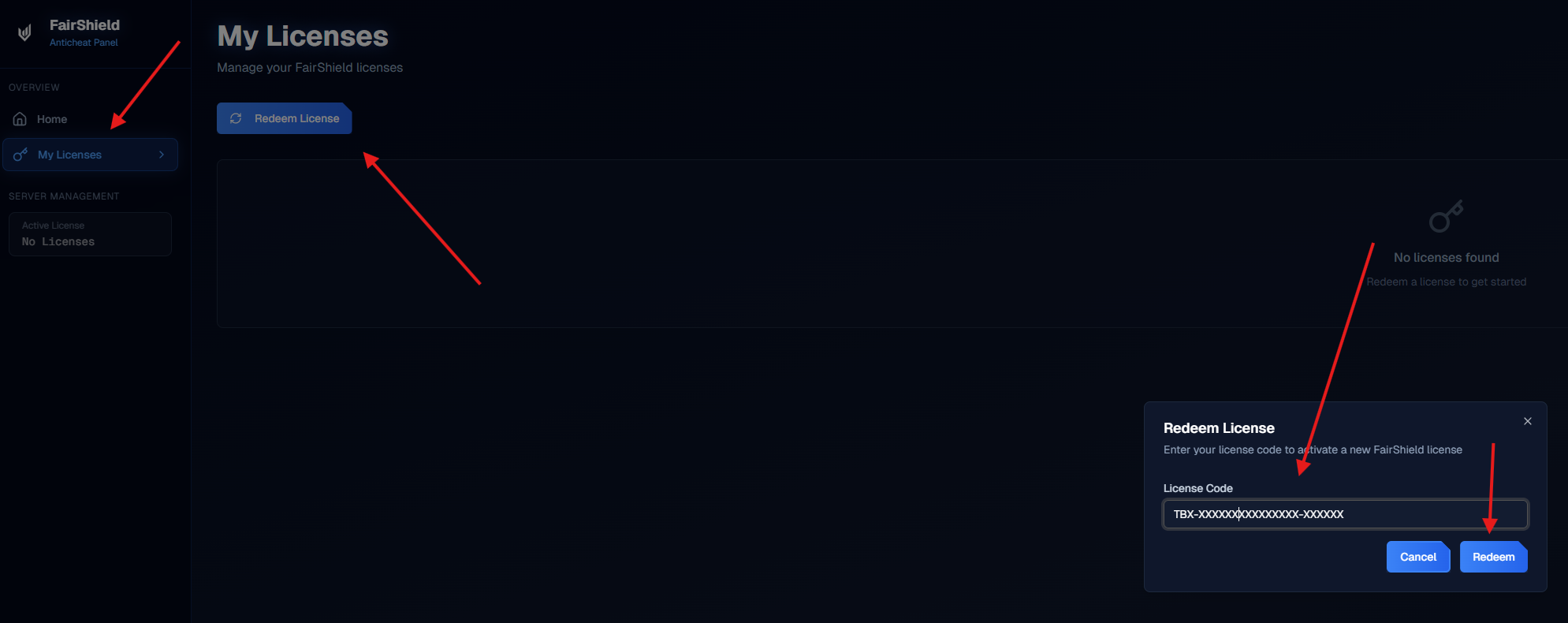
Once logged in, navigate to the "My Licenses" section in the dashboard.
Enter your tbx-purchase-code in the redemption field and submit. This will activate your license.
5. Receive Your License Key
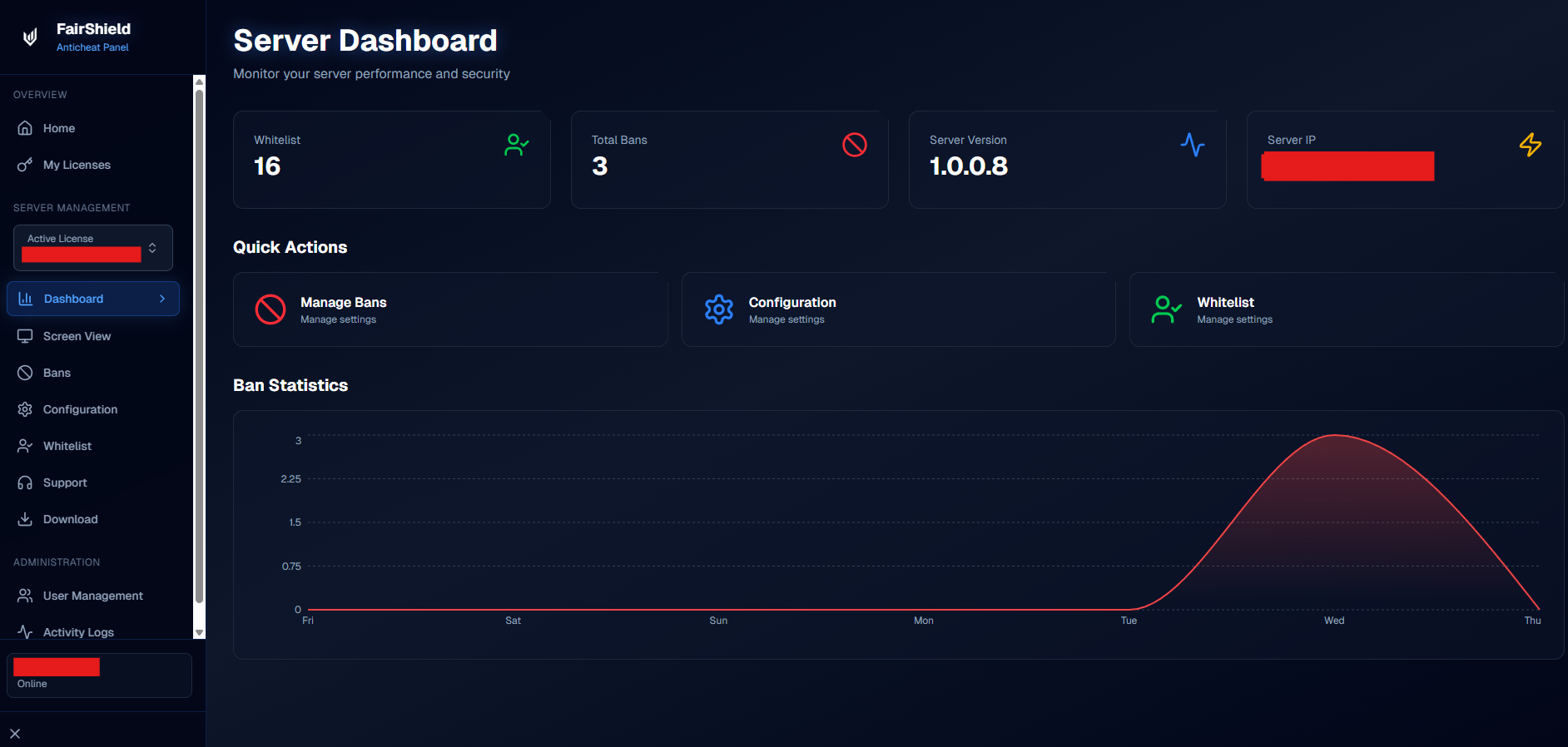
After successful redemption, your license key will be generated and displayed in the dashboard. It will also be sent to your registered email. Copy and save it securely—licenses are typically tied to a single IP address.
6. Follow Installation Guides
For detailed instructions, refer to the official Documentation or the guides available in your dashboard/download package.
Notes:
If you change server hosts, use the dashboard to reset the IP binding.
Contact support via the site if you encounter issues with redemption or key delivery.
- Always keep your license key private to maintain security.
Your anticheat will now be ready to protect your FiveM server